
App Store: in review
Your day, as a little pixel village.
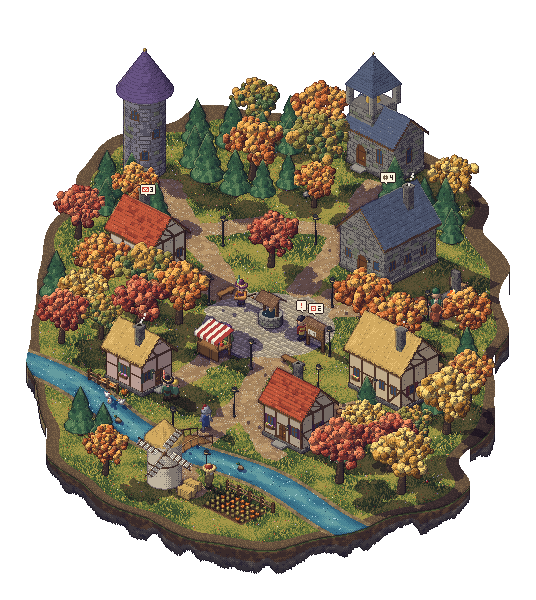
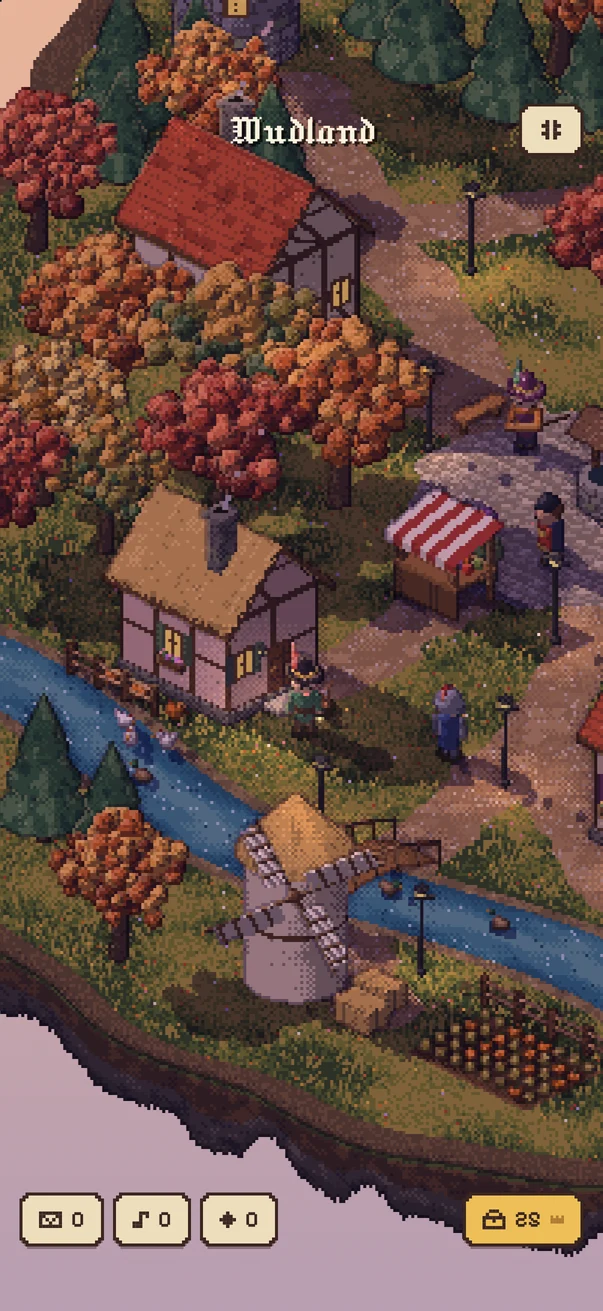
Wudland is an iPhone app I made. Your calendar lives in the bell tower, your reminders go on the notice board, and the coding agents on your computer turn up for work at the guild. You walk about and see how things are going.
No account
No server
Open source
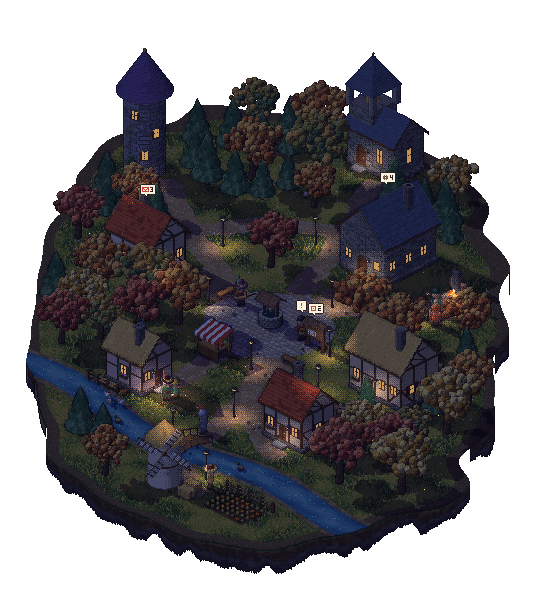
That's the real village engine, running here with made-up data. Tap the grass to walk. Tap a door to go in. Tap someone to say hello. The moon button up top turns the lamps on.
- For iPhone, iOS 26 and later
- Calendar and reminders stay on your phone
- Agent updates are end-to-end encrypted
- GPLv3 app, MIT plugins
Who lives where
Everyone in the village has a job.
Each building looks after one bit of your day, and only reads it once you've said yes. Pick a building to see who works there and where their information comes from.
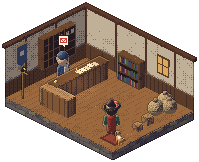
The Artificers' Guild
Your coding agents get a desk.
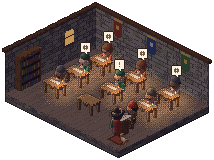
Link a computer and every agent on it walks into the guild and sits down at a desk. Each computer gets its own banner. Each agent is named after its tool and wears that tool's colour, so Claude is in terracotta and Codex is in green.
Hover over the artificers to see what they're up to. Up to three of the busiest also go outside and hammer at the forge, so you can see from across the village that work is happening.
Wudland Link
Link a computer in three steps.
There's no account to make. Your phone and your computer agree on a key between themselves, and you check it with your own eyes.
------
A demo code. It refreshes like the real one.Open the Lord's Desk
In Wudland, open Settings and find Link a computer. It shows a six-digit code that changes every 60 seconds.
Type the code on your computer
Run
wudland linkwith that code. Your computer sends a hello through the relay, with a fresh key.Compare eight digits
Both screens show the same eight-digit verification code. If they match, tap Codes match. If not, tap Deny. That stops anyone in the middle swapping the keys.
Drag the phone to turn it.
Install
One command, then your tool's plugin.
You need Node 18 or newer. The command-line tool does the linking, and the plugins tell it what your agents are doing.
npm i -g github:joexk1/wudland-plugins
wudland link 123456Use the code from your phone, not that one. If npm refuses with EALLOWGIT, add --allow-git=root to the install.
Add the marketplace and install the plugin from inside Claude Code:
/plugin marketplace add joexk1/wudland-plugins
/plugin install wudland@wudlandThe plugin carries its own copy of the code. If you skipped the global install, link from inside Claude Code with /wudland:link 123456.
Add one line to ~/.codex/config.toml:
notify = ["wudland", "codex-notify"]Newer Codex versions also have hooks, which give live status. The Codex notes explain how, and how to keep a notify program you already have.
Copy the plugin into opencode's plugin folder:
mkdir -p ~/.config/opencode/plugin
cp opencode/wudland.js ~/.config/opencode/plugin/Use .opencode/plugin/ inside a project if you only want it there. It calls the wudland command, so keep the global install.
Wrap any command. The villager is busy while it runs, then done or failed when it exits:
wudland run -- aider
wudland run --name "Nightly import" -- ./import.shFor finer control from a script: wudland emit --src myscript --state busy --name "Thing" --note "Step 2".
The Raven Post
Your scripts can write to you.
Anything that can run a command can send you a letter. It's encrypted on your computer, carried by raven, and sorted into your cubby by Pim.
wudland letter "Backup finished" "Documents copied at 03:00."From: Backup script
Backup finished
Documents copied at 03:00.
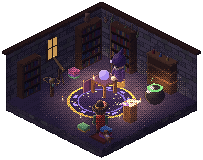
The wizard's tower
Thistlewick will talk to you about anything.
He's a chat, dressed as a wizard. Ask him to plan your afternoon or explain something, or just have a moan.
On your phone
On iPhones that support it, he uses Apple's on-device model. Nothing leaves the phone.
Your own key
Or pick Anthropic or OpenAI, paste your key and say yes to sending. Only your wizard messages go, straight to them.
Odette's Curiosities
Hats, beasts and things to put on the mantelpiece.
You earn crowns by turning up. Odette sells hats, cloaks and furniture, and you'll dig up odd things on your walks. Some beasts only come out at night, or in the rain, or in winter. A few are properly rare.
The hat stand
Pick one to try it on.
The bestiary
Colour shows how rare they are.
Privacy, plainly
Where your stuff goes.
I don't run a server, so there's nowhere for me to keep your data even if I wanted to. Here's every place it does go.
Stays on your phone
- Your calendar and reminders, read through Apple's EventKit after you say yes.
- What you've been listening to.
- Your village, letters, settings and conversations.
- Link keys and any API key, kept in the iOS Keychain.
Leaves it, on purpose
- Agent updates and letters, encrypted on your computer with AES-256-GCM and carried by an ntfy relay. The relay sees timing and IP addresses, not what's inside. You can run your own.
- Your town, or your location rounded to two decimal places, goes to Open-Meteo for the weather.
- Wizard messages, only if you choose a cloud model, add your own key and agree.
Never
- No account.
- No analytics or ads, in the app or on this site.
- No prompts, file contents or command lines from your agents. Titles are 60 characters at most, and you can turn them off.
Questions
Things people ask.
Can I get it from the App Store?
Not quite yet. It's in review. When it's out, the link goes right here. Until then you can build it yourself from the source with Xcode.
Do I need a computer?
No. The village, calendar, reminders, weather, music and wizard all work on the phone alone. You only need a computer if you want your coding agents or scripts to show up.
Which agents work with it?
Claude Code, Codex and opencode have plugins. Anything else that runs in a terminal works too, if you wrap it with wudland run.
Can the relay read my agents' updates?
No. They're encrypted before they leave your computer, with a key your phone made. The relay sees that a message went by, when, and from which IP address. The eight-digit check when you link is what stops a relay swapping keys on you.
What's sent about my agents?
The session's name, its folder, its state, the last tool it used, how many tools it has run, the model, a short note like "Edited src/auth.ts", and the computer's name. Titles can include up to 60 characters of your first prompt. Run wudland config titles off to send folder names instead.
What if I say no to a permission?
That building just goes a bit quiet. The rest of the village carries on.
What's iPhone duo mode?
It's coming soon. I'll tell you more when it's ready.
Is there an Android version?
No. It's iPhone only.
Coming soon
iPhone duo mode.
Something for two iPhones. That's all I'm saying for now.